HireVue vs Talview: Interview Formats, Retakes and Candidate Preparation
Candidate Falcon
Editorial Team

HireVue and Talview both support recorded and live interviews. Neither name tells you whether your invitation includes AI scoring, games, coding tasks or proctoring. Prepare for the workflow in your invitation, not an assumed platform-wide interview.
For a recorded interview, practise concise answers within the stated time limits. For a live interview, rehearse a conversation with follow-up questions. If the invitation includes an assessment, prepare for that component separately.
HireVue vs Talview at a Glance
| Candidate question | HireVue | Talview |
|---|---|---|
| Can I meet a person live? | Yes; live and OnDemand interviews are separate formats | Yes; live interviews are separate from asynchronous assessments |
| How does a recorded interview work? | Answer preset questions without a live interviewer | Record video or audio responses to preset questions |
| Are timing and attempts fixed? | Follow the displayed preparation and response limits; the employer sets answer attempts | Recruiter-defined time limits and retries apply to async questions |
| Is AI always scoring my recording? | No; not every interview has an assessment added | No universal rule; AI evaluation reports depend on configuration |
| What other tasks might appear? | Games, coding, language tasks or Virtual Job Tryout simulations | Objective questions, written tasks, coding or an Ivy AI interview |
| Is proctoring the same as interview scoring? | No; identity/fraud checks and assessment evaluation are different functions | No; monitoring and identity checks are distinct from answer evaluation |
There is no evidence-based platform-wide difficulty ranking here. A coding test, a timed recorded interview and a live panel interview demand different skills on either platform.
What to Expect on HireVue
OnDemand Recorded Interviews
HireVue's candidate walkthrough describes an introduction showing the question types and estimated duration, terms and conditions, an equipment test and practice questions when recorded video answers are required. The number of answer attempts is set by the hiring company and displayed during setup.
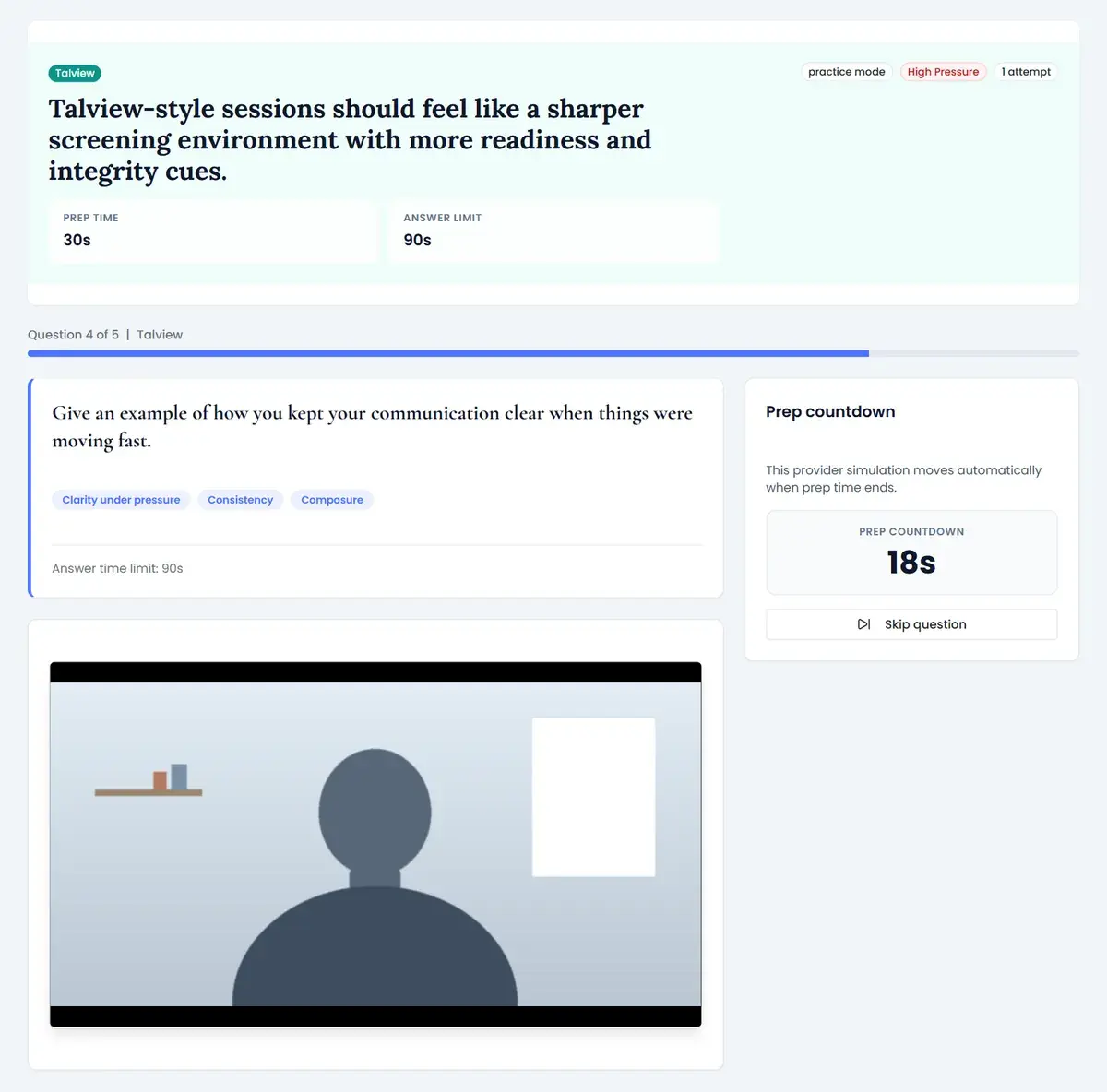
For video questions, the preparation countdown precedes recording. You can start recording early; the response countdown then limits your answer. The walkthrough says the recording automatically submits when response time expires. Use the actual on-screen limits rather than a timer quoted by another candidate.
An available attempt is not permission to revisit a submitted answer. HireVue's restart guidance says you cannot return to a question after submitting its response. Restarting an in-progress or completed interview requires the hiring company's approval; HireVue support cannot authorize it.
Live Interviews and Assessments
A live HireVue invitation is a scheduled conversation, not the OnDemand recording sequence. Check the joining instructions and time zone, and prepare to listen, clarify questions and discuss your examples.
HireVue also offers games, coding exercises, language assessments and Virtual Job Tryout simulations. Games are a possible assessment component, not something every video invitation contains. HireVue describes game tasks measuring abilities such as problem-solving, attention, memory and learning agility. The employer's selected assessment determines what you take.
AI and Review
HireVue's candidate FAQ explicitly says not all interviews have an assessment added. Its current assessment page distinguishes AI-scored games or structured responses from other assessment methods, including Virtual Job Tryout scoring without AI. Its video product also offers AI summaries and searchable transcripts. An AI summary, an assessment score and a hiring decision are not the same thing. HireVue says people make final hiring decisions.
Do not practise a supposed list of scoring keywords. HireVue says video-based assessments consider the whole response context. Prepare truthful, job-relevant examples instead.
What to Expect on Talview
Asynchronous, Live and Ivy Interviews
Talview's current candidate FAQ distinguishes asynchronous interviews from live interviews and Ivy AI interviews. Async questions use recorded video or audio answers, with time limits and retries defined by the recruiter. Check those settings before answering; do not assume another recording is available.
A live invitation means meeting an interviewer in real time. Ivy is different: Talview describes an interactive voice-based AI interviewer that records responses and evaluates communication traits such as fluency, tone and relevance. That description applies to Ivy, not automatically to every Talview recording.
Written, Coding and Proctored Assessments
Talview also supports objective questions, essays or case studies, and coding tasks. Its candidate FAQ recommends a laptop or desktop; mobile access depends on the assessment, and some written or coding formats require a computer. Run the system test linked from the invitation on the device you intend to use.
If proctoring is required, follow the disclosed identity, camera, microphone and screen-access instructions. Recording an interview answer does not itself establish that the session includes screen monitoring. Ask the recruiter about privacy concerns or alternative arrangements before granting permissions and starting.
Do not assume a Talview timer pauses when you leave or disconnect. The current FAQ says the timer continues during connectivity loss and breaks. You may be able to resume while time remains, but a technical failure does not automatically grant a new assessment attempt. Contact the recruiter or test administrator promptly.
Prepare for the Invitation You Have
- List the components. Separate recorded answers, a live appointment, an AI interview and any skills tests. Check the deadline and time zone for each.
- Test before starting. Use the provider's equipment or system check, verify microphone playback and confirm any required permissions. A practice question is not the real assessment question.
- Rehearse recorded answers. Use the stated preparation and response limits. For behavioral questions, briefly explain the situation and task, spend most of the answer on your actions, and finish with the result.
- Rehearse live discussion separately. Practise follow-up questions and prepare questions for the interviewer. A polished monologue is not a substitute for listening.
- Prepare only for disclosed assessments. Review task instructions and any official examples. Video practice does not prepare you for programming tasks or prove that you can improve a cognitive assessment score.
- Request accommodations early. Contact the recruiter about extra time, assistive technology or an alternative format before starting a timed assessment.
For additional recorded-answer practice, Candidate Falcon is a separate preparation service, not the employer's interview platform. Rehearsal cannot reveal the employer's actual questions, rubric or advancement threshold.
Frequently Asked Questions
Is HireVue harder than Talview? Not inherently. Difficulty depends on the role, questions, timing and assessment components. Neither a HireVue game nor a Talview coding test should be inferred from the platform name alone.
Can I retake questions on either platform? Available answer attempts depend on employer or recruiter configuration. HireVue does not let you revisit a submitted response; a whole-interview restart needs employer approval. Talview distinguishes configured async retries from reassignment of an assessment after a problem, which is not automatic.
Does HireVue use AI to score every video response? No. Some assessments use AI, but HireVue says not every interview includes an assessment. AI transcription or summarization also does not mean an assessment score is being generated. Ask the employer which review workflow applies.
Does Talview use AI to score video interviews? Some workflows include AI evaluation. Talview documents Ivy AI interviews and AI evaluation reports if configured; other workflows may use human review. Read the invitation and consent information, and ask the recruiter if the process is unclear.
Are live interviews unrecorded? Live describes when the conversation happens, not whether it is recorded. Read the recording notice and employer instructions rather than assuming a live call is private or an async session is proctored.
Sources and Scope
Reviewed and updated 8 October 2026 using official provider documentation:
- HireVue candidate FAQ: assessment use varies, responses are evaluated in context, and candidates can request accommodations.
- HireVue OnDemand walkthrough: equipment checks, practice mode, displayed employer-set attempts and recording countdowns.
- HireVue restart guidance: submitted answers cannot be revisited; restarts require employer approval.
- HireVue video interviewing and assessments: live/OnDemand formats, AI review assistance and distinct assessment methods.
- Talview candidate assessment FAQs: async retries, Ivy, written/coding tasks, continuing timers, permissions and accommodations.
These pages establish available features, not what a particular employer enabled. Invitation instructions and employer clarification take priority for your session.