How many attempts for a HireVue video interview: a practical guide for candidates

Luca from Candidate Falcon
Editorial Team

There is no single number. In a HireVue On Demand interview, the employer chooses a recording mode for each answer, and that mode decides how many attempts you get: no retakes, exactly one take, one to five retakes, or unlimited retakes. Unlimited retakes is HireVue's default setting, but many employers change it, so the number shown in your own interview is the only one that applies to you.
One rule holds in every mode: the recruiter sees your last recording, not your best one. You cannot go back and pick an earlier take.
The four HireVue recording modes
HireVue's help documentation for employers describes four recording modes. Each answer in an interview can use a different one.
| Recording mode | Attempts per answer | What it feels like |
|---|---|---|
| Unlimited retakes (default) | As many as you like before you submit | Record, review, re-record until you are happy |
| One to five retakes | 2 to 6 tries in total (video and audio answers) | A Re-Record button until your retakes run out |
| Single take | 1 | Once you start recording, you finish and move on |
| Spontaneous | 1, with limited think time | The question appears, a think-time countdown runs, then recording starts automatically |
A retake is an extra try on top of your first recording. So "two retakes" means three tries in total. HireVue's own example: a candidate with two retakes records an answer, re-records it, re-records it again, and after the third recording the Re-Record button disappears and only Next is left.
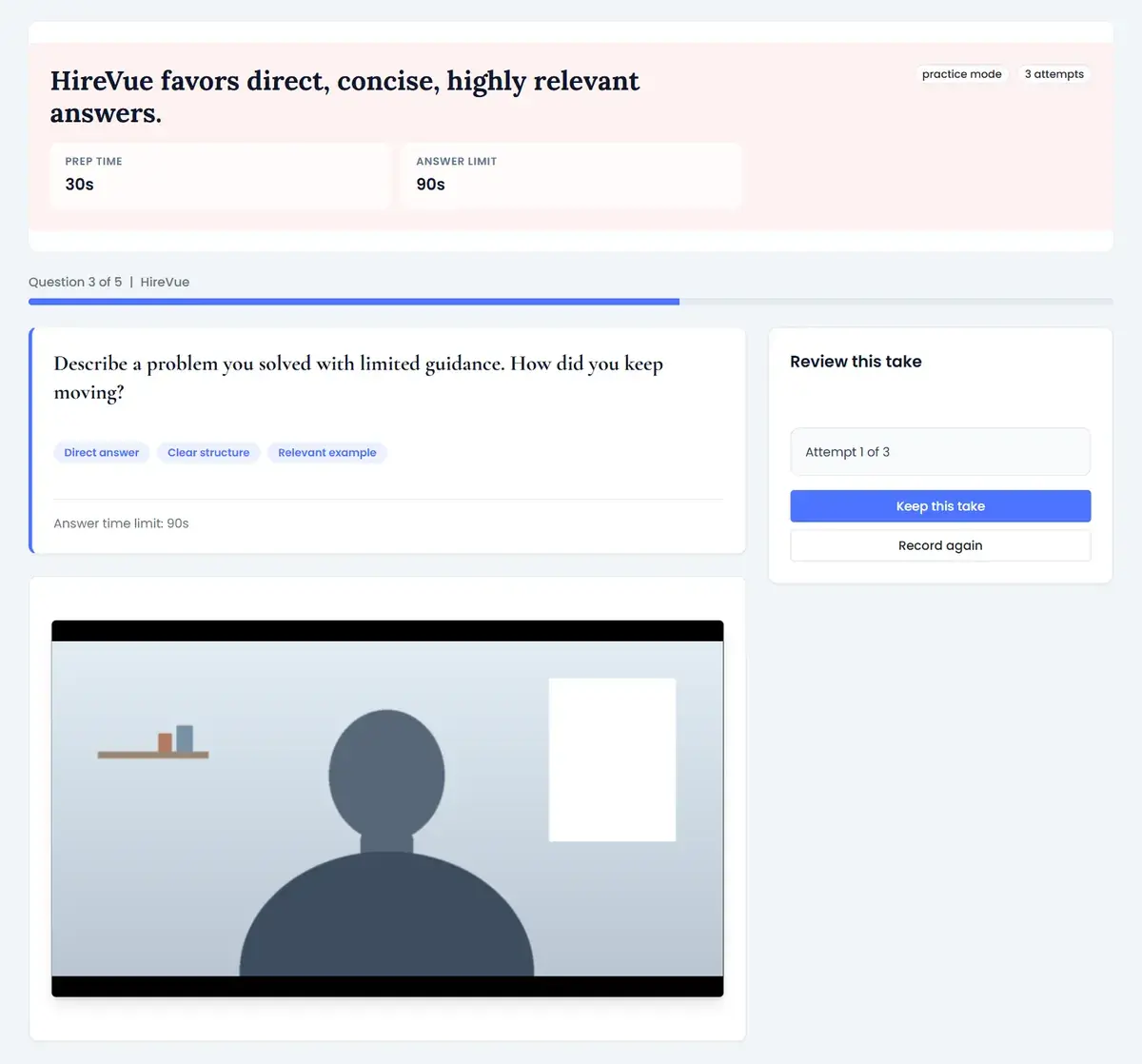
How to tell how many attempts you have
You do not need to guess. Look for these signs before and during the real questions:
- The instructions before each question. The interview tells you how long you have to prepare and answer, and the instructions often mention whether retakes are allowed.
- A Re-Record button after you record. If it appears, you have at least one retake left for that answer. When it disappears, you are on your final take.
- A think-time countdown before recording. If the question shows a countdown and then starts recording by itself, that answer is in Spontaneous mode: one attempt, no retake.
The number can change from question to question, and it can differ between two companies that both use HireVue. Do not assume your last HireVue interview works like this one.
Which recording does the recruiter see?
Always the last one you recorded. HireVue states this directly: the last recording made is the video the recruiter will see, and a candidate cannot go back to choose the first recording after recording the answer more than once.
That changes how you should use retakes:
- Do not re-record "just to see" if you are on your last retake. A weaker final take replaces a good earlier one.
- If an earlier take was good, stop. Press Next instead of chasing a perfect answer.
- Watch your playback before deciding. Re-record for real problems: you lost your structure, ran out of time, or your audio cut out. Small pauses or filler words are rarely worth a riskier take.
HireVue's public help articles do not say that recruiters see how many takes you used. What they do confirm is which take they see: the last one.
Time limits and think time
Attempts and time are configured together. For each answer, the employer can set:
- Think time: how long you have to read the question and prepare before recording. In Spontaneous mode, recording starts automatically when think time ends. HireVue recommends employers give at least 10 seconds.
- Response time: unlimited, or a fixed limit. When a limit runs out, recording stops and the interview moves on.
Our guide to HireVue time limits explains typical prep and answer times and how to pace yourself inside them.
How to use your attempts well
- Use the practice question first. HireVue's interview flow includes practice questions you can play back, and they are never saved or seen by anyone but you. Spend your nerves there, not on real retakes.
- Plan your first take as if it is your only one. Even with unlimited retakes, a structured first answer is usually your best. A simple STAR outline helps; our free STAR method lesson shows how.
- Decide your re-record rule in advance. For example: re-record only if you missed the question, went far over time, or had a technical problem.
- Keep short notes nearby. HireVue's candidate tips allow notes as a reminder, which reduces the takes you lose to a blank moment. See how to use notes in a HireVue interview.
- Check your camera and microphone before you start. A technical failure can burn a take for nothing. Use our camera and microphone test guide.
If you want to rehearse under the same pressure before your invitation, practice a timed HireVue one-way interview and review your takes afterwards.
What if you run out of attempts?
Once your last allowed take is recorded, you cannot add another one yourself. Finish the interview, then contact the recruiter if something genuinely went wrong, such as a technical failure during your only take.
What the recruiter can do depends on the situation. HireVue's employer documentation shows they can reset an interview's deadline, which lets a candidate use any retakes they still had left, but it does not add new attempts once all of them are used. Giving you another try at a question requires the recruiter to take further action on their side. Whether they do is entirely their decision.
Retaking or restarting the whole interview is a different question, covered in our guide on whether you can retake a HireVue interview.
FAQs
How many attempts do you get on a HireVue interview?
It depends on the recording mode the employer chose for each answer: no retakes, a single take, one to five retakes, or unlimited retakes. Unlimited retakes is HireVue's default, but the instructions in your own interview show what applies to you.
Does HireVue let you re-record answers?
Only if the answer's recording mode allows retakes. If a Re-Record button appears after you record, you can try again. In Single Take or Spontaneous mode there is no re-record.
Can you choose your best take?
No. HireVue states that the last recording made is the one the recruiter sees. You cannot go back and select an earlier take, so stop once you have an answer you are happy with.
Can recruiters see how many times you re-recorded?
HireVue's public help articles do not say that recruiters see the number of takes you used. They do confirm that recruiters see your last recording.
What does "two retakes" mean on HireVue?
Two retakes means three tries in total: your first recording plus two re-records. After the third recording, the Re-Record button disappears and you can only move to the next question.
Do practice questions use up your attempts?
No. Practice questions are separate from the real interview. They are never saved or submitted, and nobody but you sees them.
Sources
- HireVue Help Center, "On-demand video interview questions" (updated February 2026, checked October 2026): recording modes (Spontaneous, Unlimited Retakes as default, Single Take, One to Five Retakes), think time, response time.
- HireVue Help Center, "Can a candidate make multiple interview recordings and select the best one?" (updated June 2026): the last recording is the one the recruiter sees; the two-retakes example.
- HireVue Help Center, "Managing Interview Deadlines" and "How to Reset an On-Demand Interview": resetting a deadline lets candidates use remaining retakes but does not add attempts once all are used.
- HireVue Candidate Help Center, "Getting Started with Your On Demand Interview (Computer)": practice questions with playback, never saved or seen by anyone but you.
- HireVue, "Candidate Interview Tips": keeping notes next to you as a reminder.